Reezn is a top-tier online subscription-free streaming platform in 2026, and over 10 million people are already using it. Many people who prefer downloading movies instead of watching online find Reezn useful because, along with online streaming, the app supports Full HD downloads, letting viewers save movies and shows to the device’s storage for offline viewing.
Nowadays, everyone has access to the internet, so streaming is a popular choice these days as it does not consume storage and you get to watch high-quality movies and shows online. But when you are commuting or traveling on a long trip, your internet connection status might flit, so you can use the offline downloaded videos to keep yourself entertained whenever you’re bored.
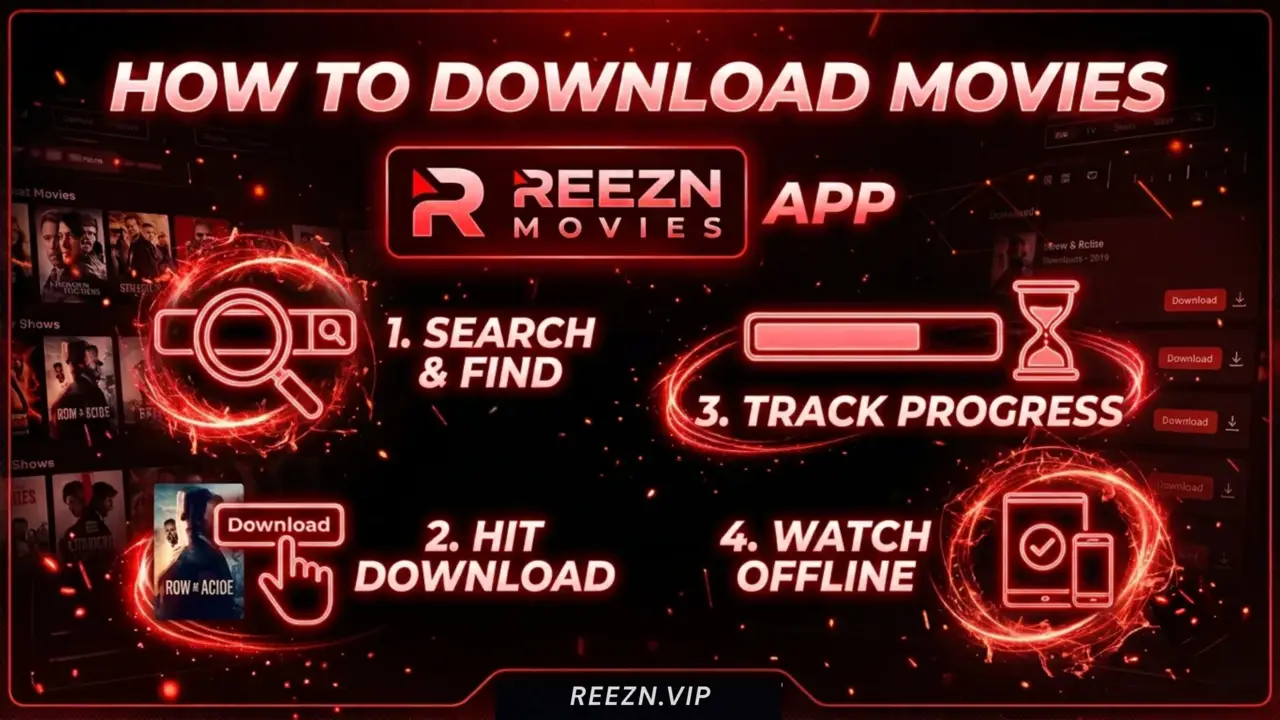
How Does the Offline Playback Feature Work in Reezn App?
The offline downloading feature in the Reezn app has so much flexibility and ensures users have complete control to access the downloaded files easily and have the option to delete the downloaded videos anytime. When it comes to how downloading works, the app provides mainly two options.
The default one is using the Reezn app’s built-in downloader that will save videos in the Reezn app, which you can only access inside this app. But if you want to save your favorite movie to access via the gallery, you can use the 1DM downloader with the Reezn app, which also speeds up the downloading process and ensures easy accessibility via the gallery and Files app anytime once the video is downloaded.
Easy Steps to Download Movies From Reezn App
Method 1. Using Reezn Downloader:
To use this method, you don’t need any external app or downloader tool, but the downloaded videos will only be accessible within the Reezn app, so follow the given steps to watch your favorite movie or series offline.
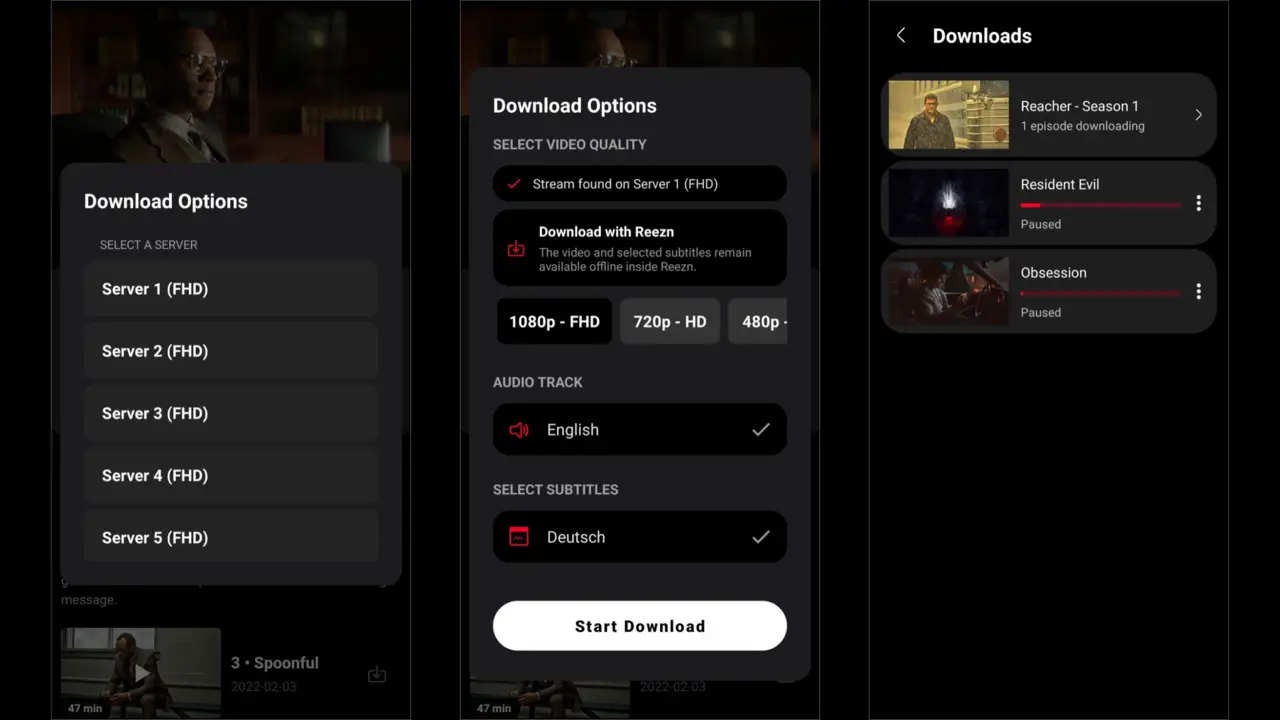
- Launch the Reezn TV app and search for the movie or series you want to download.
- Tap on the poster image to open the title details; instead of clicking on the “Play” button, select the “Download” option.
- Tap on “Continue,” and the list of servers with supported video quality will show up, so select the one that offers the highest resolution.
- Now, choose the video quality, then the audio track and subtitles, then tap on the “Start Download” button at the bottom.
- Now the video will start downloading, and you can go to the Download section in this app to check progress.
- In case you want to pause the download in the middle, click on the three-dot icon and select Pause, and do the same to resume it anytime.
Method 2. Using 1DM Downloader:
1DM is among the most trusted video downloader tools that are officially available on the Google Play Store. You can use that tool to integrate with the Reezn app in order to save movies from this app to your device’s storage, which can be accessed via the default gallery app and the Files app. So, here’s the step-by-step guide.
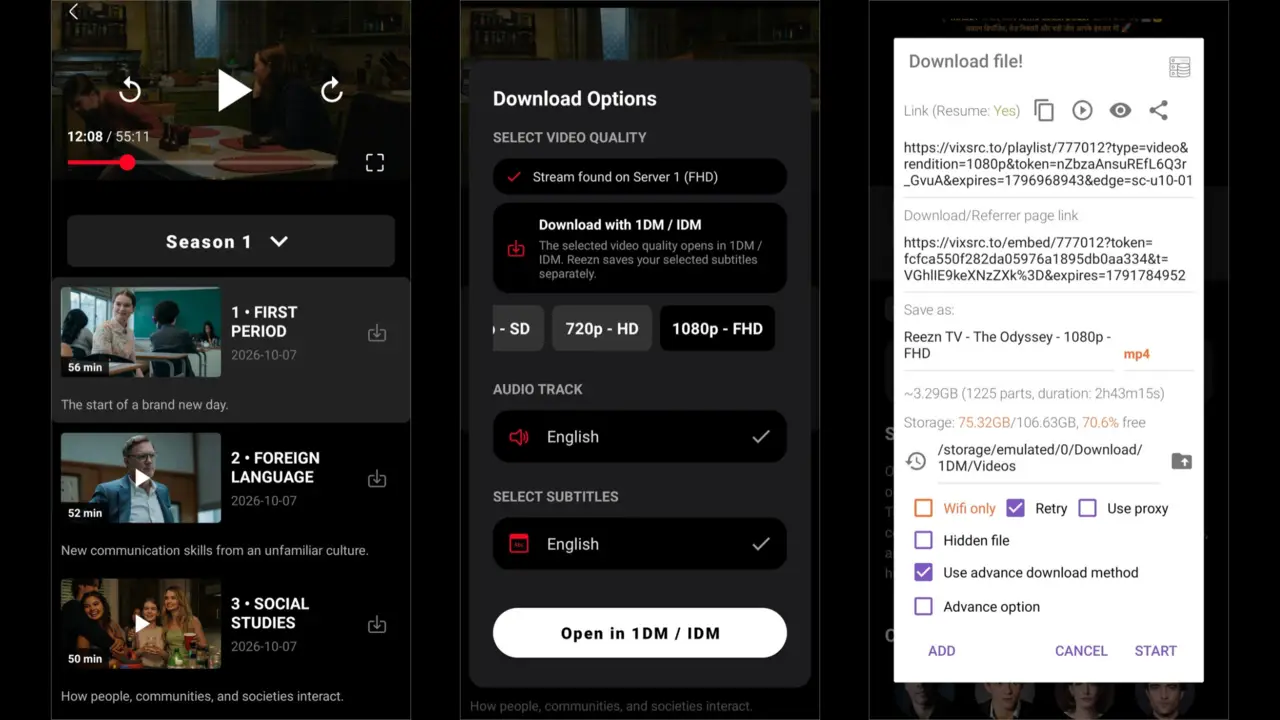
- Launch Google Play Store, search for the 1DM app, and install it on your device.
- Open the Reezn TV app, go to the Settings of the app, then scroll down a bit and tap on the Downloads section.
- Go back to the Home section and tap on the Search bar, then look for the movie you want to save and click on it to open the title.
- Scroll down a little and click on the Download button, and it will take a few seconds to load the video download option using 1DM.
- Select Video quality, format, subtitle, and audio track, then click on the Download button to start downloading.
- In the 1DM app, tap on the Downloading section to check the current status of the downloading process.
- Once the video is fully downloaded, exit the app and go to the Gallery section to find the video in the Download folder.
- Tap on it and select the media player from your device to start playing the video without an internet connection.
FAQs
Is it safe to download videos from Reezn app?
Yes, the Reezn TV offline download feature has no security risks or malware issues; you can use it worry-free to download movies and shows on your device.
How long do the downloaded videos last?
Unlike Netflix, downloaded videos don’t have an auto expiry date. Once you download a video from the Reezn app, it will be on your device until you manually delete it yourself.
Can I save videos on Cloud Storage?
There is no option in the Reezn app to download and save videos directly to cloud storage.
Conclusion
Downloading movies is one of the key advantages of the Reezn app, allowing users to enjoy their favorite movies and shows offline when an internet connection is unavailable. This guide explains how to download movies, series, and anime episodes using the Reezn TV app and save them to your device for offline viewing, which I hope you found helpful. Don’t forget to share this guide with fellow Reezn app users, so thet they can also leverage and enjoy the bufferless viewing.